How to Clean an iPhone Charger Tip (Lightning Cable) for Optimal Performance
Our smartphones are essential parts of daily life, yet one of the most overlooked components—the charger tip or Lightning connector—often gets neglected. Over time, dirt, dust, lint, and debris can accumulate inside your charging port, hindering connectivity, slowing down charging speeds, or even causing damage to your cable and device. In this guide, we will walk you through the step-by-step process of cleaning your Lightning cable safely and effectively. By following these instructions, you can ensure your charger performs at its best and extends its lifespan.
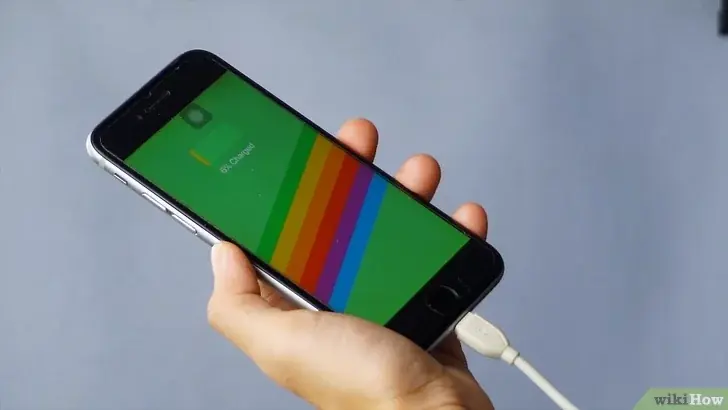
Why Clean Your Lightning Cable?
The Lightning connector, although designed for durability, is prone to collecting unwanted debris due to everyday usage. Here are a few reasons why keeping your cable clean is crucial:
-
Enhanced Charging Efficiency: Dust and lint can block the electrical contacts, leading to inefficient charging or even failure to charge.
-
Preventing Damage: Accumulated grime can cause wear and tear on the connector, potentially leading to costly repairs or replacements.
-
Maintaining Device Health: A dirty charging port can sometimes cause intermittent connectivity issues, which might lead to battery drainage or software glitches.
-
Hygiene: Regular cleaning ensures that you’re not introducing bacteria or dirt into your device, which is particularly important given how frequently we handle our smartphones.
Understanding these benefits motivates you to incorporate regular maintenance into your routine.
Gather the Right Tools
Before you begin, ensure you have the following items on hand:
-
A Soft, Dry Brush: A small, soft-bristled brush (such as a toothbrush or a dedicated electronics cleaning brush) works well for dislodging dust and lint.
-
Compressed Air: A can of compressed air is useful for blowing out debris from hard-to-reach areas.
-
Isopropyl Alcohol (70% or higher): Use this to sanitize and clean stubborn grime. Avoid using water or any liquid that isn’t alcohol, as it might cause corrosion.
-
A Toothpick or SIM Card Ejector Tool: These can help gently scrape out debris without damaging the connector.
-
Microfiber Cloth: A lint-free cloth is ideal for wiping down the exterior of the cable.
Having these tools prepared will ensure a smooth and effective cleaning process.
Step-by-Step Cleaning Instructions
1. Power Down Your Device:
Before cleaning, always disconnect your charger from your device and power it off. This reduces the risk of short circuits or damage.
2. Inspect the Connector:
Examine the Lightning port closely using a good light source or a magnifying glass if needed. Identify any visible debris, lint, or corrosion.
3. Use Compressed Air:
Hold the can of compressed air upright and use short bursts to blow out any loose particles. Avoid shaking the can or using it too close to the connector, as this may force moisture into the port.
4. Brush Away Debris:
Using a soft-bristled brush, gently sweep the inside of the Lightning connector. Be cautious to avoid bending or damaging the delicate pins inside.
5. Scrape with a Toothpick:
If there are stubborn bits of lint or debris that the brush didn’t dislodge, use a toothpick or SIM card ejector tool to carefully scrape them away. Do this slowly and gently to avoid any damage to the internal components.
6. Clean with Isopropyl Alcohol:
Dampen a microfiber cloth with isopropyl alcohol (do not soak it) and gently wipe around the opening of the connector. For deeper cleaning, you can dip the tip of a cotton swab in alcohol and lightly clean inside the port. Isopropyl alcohol evaporates quickly and leaves no residue, making it safe for electronics.
7. Dry Thoroughly:
Allow the Lightning connector to air dry for a few minutes before reconnecting it to your device. Ensuring that no moisture remains is crucial to avoid short circuits or corrosion.
8. Repeat if Necessary:
If the connector still appears dirty, repeat the process until you achieve a clean and debris-free port. Regular maintenance can prevent the need for repeated deep cleaning sessions.
Tips and Precautions
-
Avoid Excessive Force:
Be gentle when cleaning your Lightning connector. Excessive force can damage the pins or the port itself. -
Never Use Water:
Water can cause serious damage to electronic components. Always use isopropyl alcohol for cleaning purposes. -
Routine Cleaning:
Incorporate this cleaning routine into your regular device maintenance schedule. Doing so will help avoid the build-up of debris over time. -
Use Original or Certified Accessories:
Always use Apple-certified chargers and cables. Third-party accessories might not have the same build quality and can be more prone to accumulating debris. -
Consider a Protective Case:
Using a protective case that covers the charging port when not in use can help reduce the amount of dust and lint that enters the connector.
Understanding the Science Behind It
The design of the Lightning connector, while sleek and efficient, creates small gaps where particles can settle. Over time, the accumulation of these particles can interfere with the electrical contacts inside the connector. When the contacts are obstructed, the efficiency of power transfer decreases, leading to slower charging times or intermittent connections. Moreover, the use of compressed air and isopropyl alcohol helps to break down and remove oils and residue that can form from daily handling. This careful cleaning not only preserves the functionality of your charger but also extends its operational lifespan.
Troubleshooting Common Issues
After cleaning, if you still experience charging issues, consider the following:
-
Check the Cable for Damage:
Inspect the entire length of your cable for any fraying or damage. A compromised cable may need to be replaced. -
Test with Another Device:
Try charging another device with the same cable to determine if the issue lies with the charger or your device’s port. -
Reset Your Device:
Sometimes, a simple restart of your device can resolve connectivity issues that persist after cleaning. -
Consult a Professional:
If problems continue despite thorough cleaning, it might be time to consult an authorized service provider for further diagnostics.
Final Thoughts
Keeping your Lightning cable clean is a simple yet essential maintenance task that can improve your device's performance and longevity. By dedicating just a few minutes to this routine, you ensure that your charger operates efficiently, saving you from the frustration of slow or failed charging sessions. Remember, the key to a well-functioning device lies in small, consistent efforts—like cleaning that often-overlooked charger tip.
By following these detailed steps and tips, you can maintain a pristine Lightning connector that delivers optimal performance every time you plug in. So, next time you reach for your charger, take a moment to inspect and clean it—it might just be the secret to a more reliable and longer-lasting phone experience.
Regular cleaning is not only about aesthetics or minor performance improvements—it’s about taking proactive steps to protect your investment in technology. In an age where our devices are lifelines to work, communication, and entertainment, ensuring they function at their best is a responsibility every user should embrace.
By making this simple maintenance task part of your routine, you’ll not only extend the lifespan of your accessories but also enhance your overall digital experience. Enjoy the peace of mind that comes from knowing your charger is as efficient as possible, and embrace the small acts that make a big difference in our tech-driven lives.